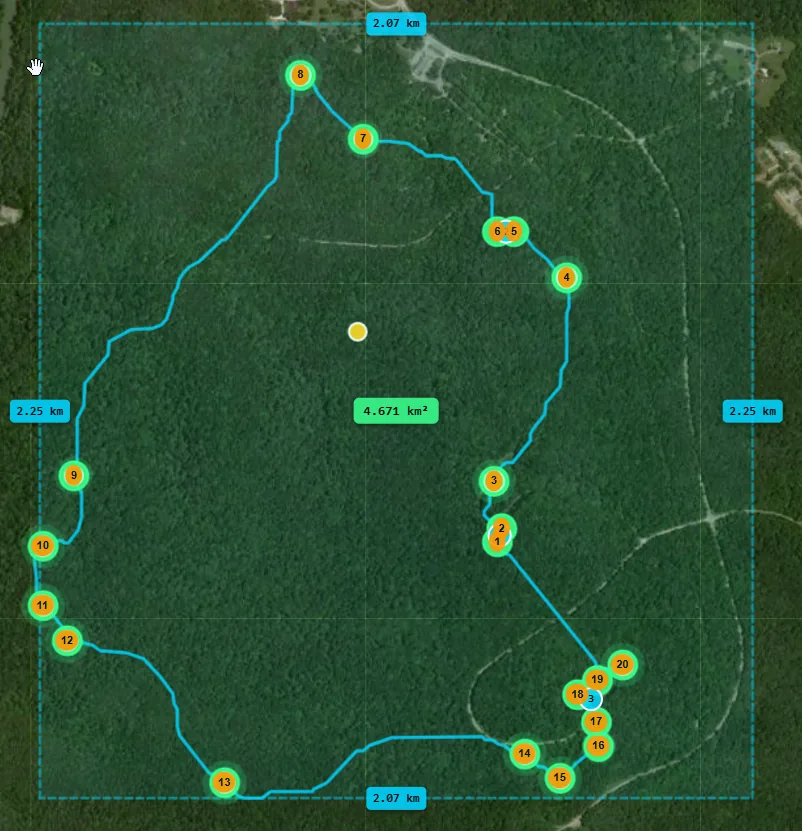
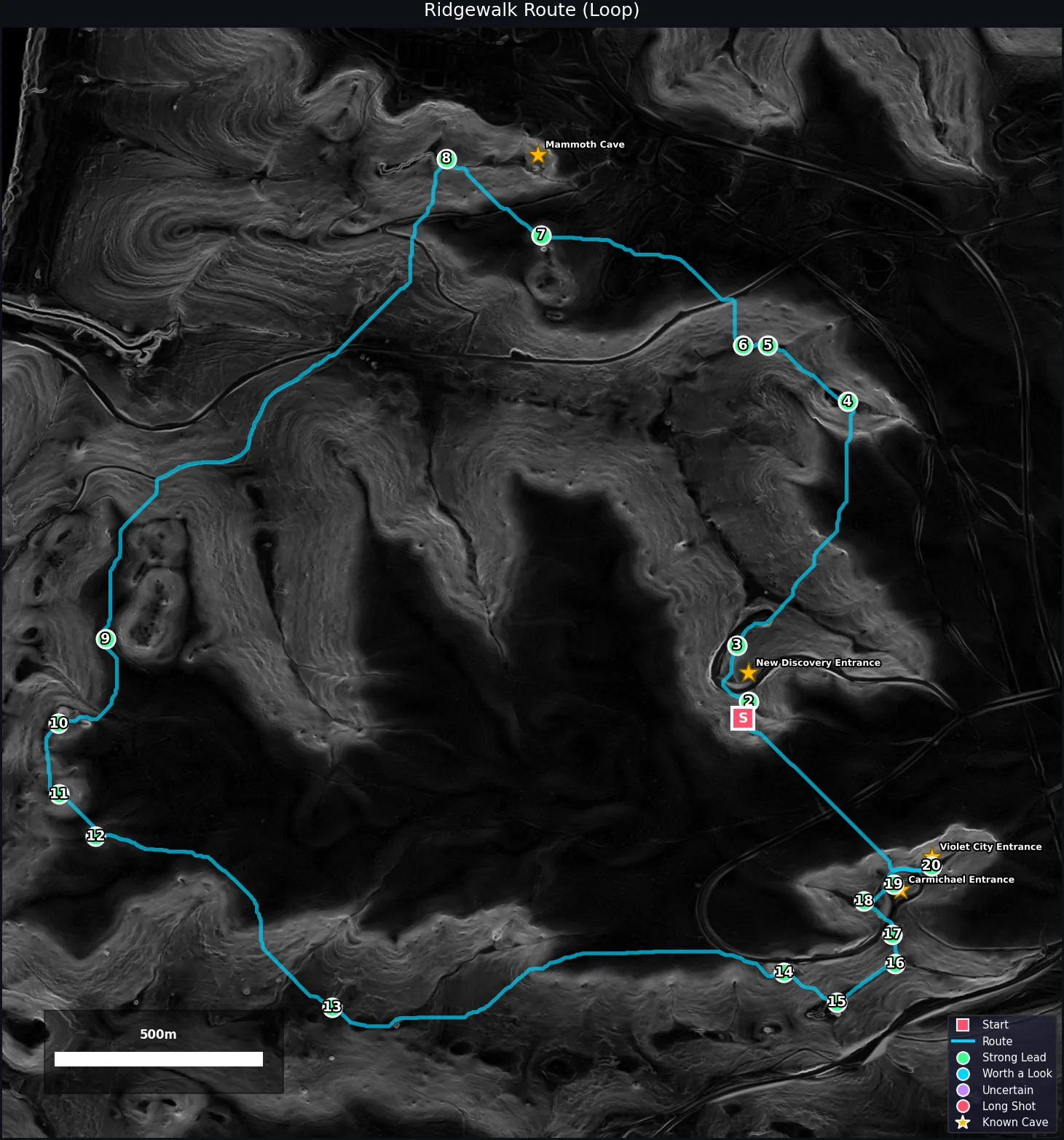
Draw a polygon or rectangle, then find caves
Idle
Setup
Results
Layers
Help
Calibrate
More ▾
Step 1 — Select an Area
Click a button, then draw on the map to select your search area
Data Resolution
Draw area
Select an area to check resolution
Data Source
Powers AI Review, Explanation, Summary, and Terrain Description (~$0.001-0.003/use)
Scoring Filters ⚙ applied DURING analysis — re-run to take effect
Detection Settings
Overlays
Preparing... 0:00
0%
Ready. Draw an area to begin.
Run an analysis to see results.
Map Overlays

Toggle layers to add geological context. Layers are fetched live when enabled. Synced with the "Quick Layers" panel on the map. Both control the same layers.

Karst Geology
BGR WHYMAP global karst map (WOKAM)
Known Caves
OpenStreetMap cave entrances
Sinking Streams
DEM flow sinks + OSM swallets
Built-up Areas
OSM residential / industrial zones
Public Land Boundaries (USA only, zoom ≥ 5)

Know if a candidate is on accessible public land before you hike to it.

BLM Land
Bureau of Land Management — generally open for caving
National Forest (USFS)
US Forest Service — check local ranger district rules
National Parks (NPS)
Parks/Monuments — caves may require permits
Hydrology
USGS Hydrology (NHD)
Streams, rivers, springs — karst indicators
Detection Heatmap
Score-weighted density of results
Depth Heat Map
Depression depth — red=shallow, blue=deep, purple=very deep (needs analysis)
Slopeshade
Steepness overlay — bright = steep terrain (needs analysis)
Historical Map
OpenHistoricalMap — old features, trails, mines
USGS Historical Topos
Topo map sheets with cave/mine symbols (USA, zoom ≥ 8)
Opacity
Custom Tile Layers

Add map layers from other sources. Choose a preset below or paste a tile URL.

+ Add a layer
Quick add — click to add instantly:
Or paste a custom tile URL:
Upload Your File

Drop a GeoTIFF DEM or LAS/LAZ point cloud to analyse without auto-download.

📁
Drop file here or click to browse
.tif .tiff .las .laz
Multi-Date Change Detection

Upload two DEMs of the same area (different dates). New or deepened depressions between surveys are flagged as high-priority cave candidates.

📅
Drop DEM 1 (.tif / .tiff)
📅
Drop DEM 2 (.tif / .tiff)
Minimum elevation change to flag as new depression
Batch Queue

Queue multiple areas for overnight processing. Draw each area, configure settings, then click "Add to Queue". When ready, start all jobs.

Quick Start Guide

1. Pick your area — Click Rectangle or Polygon and draw on the map where you want to search for caves. Stick to areas under 25 km² for fast results.

2. Click Find Caves — The app downloads elevation data and runs 6 detection algorithms automatically. This takes 1-5 minutes depending on area size.

3. Review results — Candidates appear as colored markers on the map, ranked by confidence score. Click any marker to see details. Higher scores = more likely to be real caves.

4. Export for field use — Download results as GPX (for GPS devices) or KML (for Google Earth) from the Results tab.

Best results: Works best in the USA where 1m LiDAR data is available. For other countries, switch to Expert mode to configure global data sources.
What the scores mean: Each candidate gets a 0-100 confidence score based on how many detection methods agree and how closely the terrain matches cave-like features. Scores above 80 are strong candidates worth checking in the field.
Known Caves layer: Toggle "Known Caves" in the map layers (top-right) to see caves already documented in OpenStreetMap — useful for calibrating your expectations in an area.
📖 About & Detection Methods

Detects potential cave entrances, sinkholes, and karst features from LiDAR elevation data using multiple scientific methods.

Detection Methods

Depression Detection — Fill-and-diff algorithm finds closed depressions (sinkholes, pit entrances). Primary detection method.

Nested Depression — Level-set slicing finds sinkholes inside larger basins. Based on Wu (2016) algorithm.

TPI (Topographic Position Index) — Multi-scale elevation difference from surroundings at 5m, 15m, 30m radii.

Local Relief Model (LRM) — Subtracts smoothed surface to isolate small concave features. Based on Moyes et al. (2019).

Negative Openness — Mean nadir angle in 16 directions. High values indicate enclosed pits or shaft entrances.

Low Point Anomaly — LAS point cloud anomalies below the DEM surface (LAS/LAZ uploads only).

Accuracy Filters

Multi-method consensus — Boosts candidates confirmed by 2+ detection methods.

Shape filtering — Penalises elongated features (ditches, roads). Boosts circular (sinkholes).

Depth-to-width ratio — Penalises very shallow, wide features.

Karst geology gating — Boosts candidates on known karst bedrock.

Slope context — Penalises candidates on flat terrain (likely ponds/fields).

Road/building proximity — Penalises candidates near mapped infrastructure.

Strict SVF/openness — Tighter thresholds for higher confidence.

Additional Features

DEM conditioning — Automatically breaches road/rail barriers before analysis to reduce false positives.

Sinking streams overlay — Shows where surface water disappears underground (swallets/ponors).

Karst geology overlay — BGR WHYMAP global karst map.

Known caves layer — Cave entrances and sinkholes from OpenStreetMap + Wikidata. Yellow = OSM caves, orange = OSM sinkholes, cyan = Wikidata caves.

AI review (optional) — Claude Vision analyses hillshade crops to filter false positives.

Multi-format export — CSV, GPX, KML, GeoJSON for use in GPS devices, Google Earth, QGIS.

Batch processing — Queue multiple areas for sequential analysis.

Change detection — Compare two DEMs to find new/deepened depressions.

RF classifier — Train a Random Forest on field-verified candidates to learn region-specific weights.

Data Sources

USGS 3DEP — 1m/3m/10m LiDAR bare-earth DEMs, USA, free, no key required.

Copernicus DEM — 30m global, free OpenTopography key.

ALOS AW3D30 — 30m global optical stereo, free OT key.

NASADEM — 30m global improved SRTM, free OT key.

SRTM GL3 — 90m global radar, free OT key.

File upload — GeoTIFF (.tif) or LAS/LAZ point clouds.

References

Moyes et al. (2019) — LRM for cave entrance detection. MDPI Geosciences 9(2):98

Wu (2016) — Level-set method for nested depression delineation. Geomorphology 266:92-107

Zhu et al. (2020) — ML sinkhole identification from LiDAR. J. Hydrology 588:125049

USGS (2020) — Automated GIS depression delineation on 1m LiDAR DEMs

Tip: The best cave-hunting data is high-resolution LiDAR (<3 m). Use the built-in USGS source for the USA. For the rest of the world, get a free OpenTopography key and use Copernicus 30 m as a starting point.
Keyboard: ? Help · / Search · Ctrl+Enter Run
🇺🇸 United States — Best Sources
🏛
USGS 3DEP (Built-in)
U.S. Geological Survey
✓ Free, no key 1–10 m USA only
Already integrated — just select USGS in the Setup tab and draw your area. Bare-earth LiDAR DEM. 1 m available in many areas, 10 m nationwide.
🔍
USGS LidarExplorer
National Map — raw LAZ point clouds
✓ Free, no key Varies (2–20 pts/m²) USA only
Browse and download raw LiDAR point clouds (.LAZ) by survey project. Use the Upload tab to analyse files you download here.
↗ apps.nationalmap.gov/lidarexplorer
☁️
AWS Open Data — USGS 3DEP
Amazon Web Services
✓ Free (egress fees apply) 1 m EPT format USA only
Full USGS 3DEP LiDAR point clouds in Entwine Point Tile (EPT) format, ideal for large-scale cloud processing without downloading.
↗ registry.opendata.aws/usgs-lidar
🌍 Global Sources
🇪🇺
Copernicus DEM (Built-in)
European Space Agency / Airbus
⚿ Free OT key 30 m global
Best freely available global DEM. Select "Copernicus" in Setup and enter your OpenTopography key. Excellent quality — better than SRTM in forested terrain.
↗ Get free OpenTopography key
📡
OpenTopography Community Datasets
NSF-funded facility
⚿ Free key 0.25–1 m (varies)
Hundreds of high-res LiDAR datasets from research projects worldwide, including many karst regions in SE Asia, Americas, and Mediterranean.

How to use: Go to their Find Data map, click a dataset covering your area, draw a bounding box, and download as GeoTIFF. Then load it in Cave Finder via the Upload tab.

Note: Most high-res datasets now require an academic (.edu) email or a paid OT+ subscription for non-academics. The global DEMs (Copernicus, SRTM etc.) in the Setup tab still only need the free API key.
↗ Find Data Map ↗ Data Catalog ↗ Get free API key
📍 National Portals
🇸🇮
Geoportal Slovenia
Surveying & Mapping Authority
✓ Free 0.5–5 m
Full national LiDAR including classified point clouds. Home of the Postojna and Škocjan cave systems. The "low-point" detection method in this app originated from Slovenian cave research.
↗ geoportal.gov.si
🇫🇷
IGN LiDAR HD (France)
Institut national de l'information géographique
✓ Free 0.5 m nationwide
France's national 0.5 m LiDAR programme, progressively released. Covers Dordogne, Languedoc, Pyrenees, and Jura cave regions.
↗ geoservices.ign.fr/lidarhd
🇳🇿
LINZ Data Service (New Zealand)
Land Information New Zealand
✓ Free (CC BY 4.0) 1 m
High-resolution LiDAR covering karst regions including Waitomo and Kahurangi. Served via API and direct download.
↗ data.linz.govt.nz
🇳🇱
AHN4 (Netherlands)
Actueel Hoogtebestand Nederland
✓ Free (CC0) 0.5 m
One of the world's most detailed national LiDAR datasets. Full point cloud and 0.5 m bare-earth DEM. Available via WCS web service — can be fetched directly by entering WCS coordinates manually.
↗ ahn.nl
🇦🇺
Geoscience Australia
Australian Government
✓ Free (CC BY) 1–30 m
National DEM plus state-level LiDAR. Good coverage for Nullarbor karst and Queensland cave regions. State portals (NSW, Vic, Qld) often have higher resolution than the national dataset.
↗ ga.gov.au — elevation data
🇸🇪
Lantmäteriet (Sweden)
Swedish Mapping Authority
✓ Free (open data) 0.5–2 m
National LiDAR covering all of Sweden. Useful for Scandinavian pseudokarst and glacial cave features.
↗ lantmateriet.se — laser scanning
💡 Tips for Better Results
Higher resolution = more caves found. At 30 m (Copernicus/SRTM) you'll catch large sinkholes. At 10 m (USGS) you get most cave-size depressions. At 1 m you can detect entrances under 1 m wide.
Draw small areas first. Start with a 2–5 km² box over known cave country to verify the algorithm finds what you expect before running a large area.
Enable the Karst layer in the Layers tab before drawing — if your area is outside the green overlay, there's little point running LiDAR analysis there.
Use field notes. After a field trip, mark each candidate as ✓ Cave found, ✗ Negative, or ? Investigate in the Results tab. This data is saved and included in GPX/KML exports for the next trip.
Random Forest Classifier
How it works: Visit candidate sites in the field and mark them as ✓ Cave found or ✗ Negative in the Results tab Notes panel. Once you have ≥3 of each, train the classifier here. It learns which morphometric patterns (shape, depth, SVF, curvature) predict real caves in your specific geology, then rescores all candidates accordingly.
Training Data
✓ Cave found
✗ Negative
Weight Calibration
Enter admin key to access calibration tools.
Quick Layers
Karst
Known Caves
Stream Sinks
Built-up
BLM
USFS
NPS
Hydrology
Heatmap
Slopeshade
Historical
USGS Topos
Depression
LRM anomaly
Low-point
Change detect
Known cave (OSM)
Known cave (Wikidata)
Known sinkhole (OSM)
Stream sink